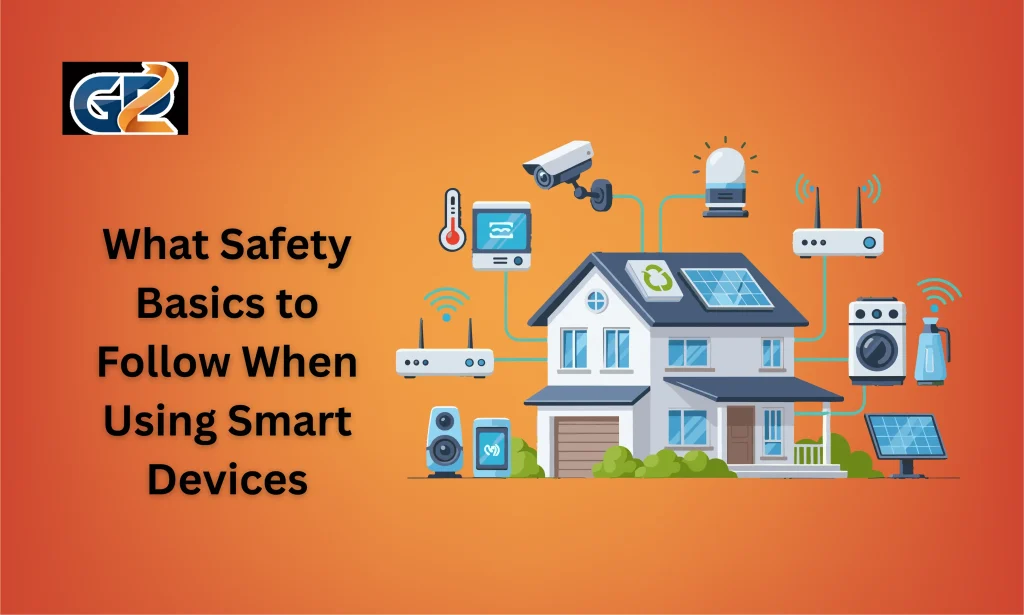
Smart devices have transformed the way people live and interact with their surroundings. Smart speakers answer questions instantly, security cameras provide real time monitoring, smart thermostats regulate temperature efficiently, and wearable devices track personal health data. While these technologies improve convenience and productivity, they also introduce security and privacy risks that users must understand.
Because smart devices are connected to the internet and often communicate with multiple platforms, they can become entry points for cyber threats if not properly secured. Many security incidents occur not because of sophisticated hacking, but due to simple user negligence. Following essential safety basics helps protect personal information, prevent unauthorized access, and ensure a secure digital environment.
Table of Contents
Secure Your Home Network Before Connecting Devices
Your home network is the foundation of your smart ecosystem. Every connected device communicates through your router, which makes network security a top priority.
The first step is changing the default username and password of your router. Manufacturers often provide simple default credentials, which are widely known and easy for attackers to guess. Replace them with strong and unique credentials.
You should also enable the highest level of encryption available on your router. WPA3 encryption offers better protection than older standards. If WPA3 is not available, WPA2 should be activated at minimum. Encryption protects the data transmitted between devices and reduces the chances of interception.
Regularly updating router firmware is also important. Router manufacturers release updates that patch security vulnerabilities and improve stability. Ignoring these updates can expose your entire network to threats.
Create a Separate Network for Smart Devices
Many modern routers allow users to create a secondary network for guests. You can use this feature to isolate your smart devices from primary computers and work devices. Separating networks limits access between devices and adds an extra layer of protection in case one device becomes compromised.
Use Strong and Unique Passwords for Every Device
Weak passwords remain one of the most common causes of security breaches. Many users reuse the same password across multiple accounts, which increases risk significantly.
Each smart device account should have a complex password that includes a combination of uppercase letters, lowercase letters, numbers, and symbols. Avoid using birthdays, names, or simple patterns.
Using a password manager helps generate and store strong passwords securely. This reduces the burden of remembering multiple credentials.
Whenever possible, enable two factor authentication. This feature requires an additional verification method, such as a code sent to your mobile phone. Even if someone gains access to your password, they cannot access your account without the second verification step.
Update Devices and Applications Regularly
Smart devices rely on software and firmware to function. Manufacturers frequently release updates to fix bugs, improve performance, and patch security vulnerabilities.
Failing to install updates leaves devices exposed to known threats. Cyber attackers often target outdated systems because they contain security gaps.
Enable automatic updates whenever possible. If a device does not support automatic updates, schedule regular checks through the manufacturer application.
Avoid Using Obsolete Devices
If a device no longer receives updates from the manufacturer, it becomes a potential security risk. Unsupported devices may contain vulnerabilities that will never be fixed. Replacing outdated technology is often safer than continuing to use it.
Review Privacy Settings and Limit Data Collection
Smart devices often collect data to provide personalized services. Voice assistants may store voice recordings, fitness trackers record health metrics, and smart cameras save video footage.
While data collection improves functionality, users must review privacy settings carefully. Disable features that are not necessary for daily use. For example, you may choose not to store voice recordings or disable remote camera access when it is not required.
Understanding what data is collected and where it is stored is essential. Read privacy policies and adjust settings within the device application to align with your comfort level.
Limiting data collection reduces exposure in case of a data breach.
Control Physical Access to Smart Devices
Cybersecurity is important, but physical security should not be ignored. If someone gains physical access to your smart device, they may reset it, change settings, or connect it to another network.
Place devices in secure locations where unauthorized individuals cannot tamper with them. Smart speakers should not be placed near windows where strangers can shout voice commands. Security cameras should be positioned strategically to avoid capturing private areas such as bedrooms or bathrooms.
Smart locks and doorbell cameras must be installed correctly to ensure reliability and safety. Following manufacturer guidelines reduces installation vulnerabilities.
Monitor Network Activity and Connected Devices
Regular monitoring helps detect unusual activity before it becomes a serious issue. Many routers provide dashboards that display all connected devices.
Check this list periodically. If you notice unfamiliar devices, investigate immediately and change your network password. Removing unknown connections prevents potential misuse.
Deleting devices that are no longer in use also reduces exposure. Each additional device expands your attack surface, so maintaining only necessary connections improves overall security.
Manage Application Permissions Carefully
Smart device applications often request access to various phone features such as storage, microphone, or location. Grant only the permissions required for proper functioning. Limiting unnecessary permissions reduces the risk of data misuse.
Be Careful with Third Party Integrations
Smart ecosystems allow devices to connect with other services for automation. For example, you may connect a smart light system to a voice assistant or integrate your security system with a mobile notification service.
While integrations offer convenience, they also create additional access points. Only connect devices to reputable platforms and review permissions regularly.
If you stop using a service, revoke its access immediately. Periodic reviews of linked accounts help maintain control over your data and connections.
Educate Family Members About Safe Usage
Technology safety is not only about technical settings. Human behavior plays a major role in maintaining security.
Every household member should understand the importance of protecting passwords and not sharing sensitive information through smart devices. Children especially should be guided on appropriate use of voice assistants and internet connected tools.
Encourage family members to report unusual device behavior such as unexpected voice responses or unknown notifications. Early reporting helps address issues quickly.
Building awareness reduces risk caused by accidental misuse or misinformation.
Maintain Backup Options and Emergency Preparedness
Smart devices depend on internet connectivity and electricity. During power outages or network disruptions, they may stop functioning.
Do not rely completely on automation. Keep physical keys for smart locks and manual overrides for heating and cooling systems. Security systems should have battery backups to ensure continued operation.
Preparing for emergencies ensures safety even when technology fails.
Choose Trusted Brands and Verify Before Purchasing
Safety begins even before installation. Research manufacturers before purchasing smart devices. Established companies typically invest more in security testing and provide regular updates.
Read reviews, check for security certifications, and confirm that the device supports ongoing firmware updates. Cheap unknown brands may lack proper security measures.
Choosing trusted vendors increases reliability and reduces long term risks.
Conclusion
Smart devices offer incredible convenience, efficiency, and control in modern homes. However, their connectivity also makes them potential targets for cyber threats and privacy breaches. Following essential safety basics significantly reduces these risks.
Securing your network, using strong passwords, updating devices, reviewing privacy settings, monitoring activity, controlling physical access, and educating family members form the foundation of smart device safety. Preparing backup plans and selecting trusted brands further enhances protection.
FAQs
1. Can smart devices be hacked even if they are inside a private home network?
Yes, smart devices can still be hacked if the network has weak passwords, outdated firmware, or insecure encryption settings. Strong network security and regular updates significantly reduce this risk.
2. Is it safe to access smart home devices using public WiFi?
Accessing smart devices over public WiFi can expose your login credentials to interception. It is safer to use a secure mobile network or a trusted VPN connection when accessing devices remotely.
3. How often should smart device passwords be changed?
Passwords should be changed periodically, especially after any suspected breach or unusual activity. Updating credentials every few months adds an extra layer of security.
4. Do smart devices store personal data permanently?
Some devices store data such as recordings or activity logs depending on settings and subscription plans. Reviewing storage preferences and deleting unnecessary data improves privacy protection.
5. Should smart devices be turned off when not in use?
Turning off or disconnecting devices when not needed reduces exposure to potential cyber threats. It also limits unnecessary data collection and background connectivity.