I moved into a tiny 580-square-foot apartment and immediately wanted to make it smarter. I bought smart bulbs, plugs, cameras, and a thermostat without understanding how WiFi actually worked in small spaces. Within days, devices randomly disconnected. My router couldn’t handle 19 devices connecting simultaneously. Half my smart home stopped working after 10pm when my neighbor’s WiFi interference peaked. I spent $640 on devices that worked inconsistently at best.
The breaking point came when my smart lock failed while I was carrying groceries, leaving me stuck outside my apartment for 45 minutes until the WiFi connection stabilized. That humiliating experience forced me to actually understand how WiFi smart devices function in confined spaces with concrete walls and WiFi congestion from 30+ neighboring networks.
Table of Contents
How WiFi Smart Devices Actually Connect in Apartments
WiFi smart devices connect directly to your wireless router using the 2.4GHz or 5GHz frequency bands. These devices include smart bulbs, plugs, thermostats, cameras, and speakers that all communicate through your home network rather than requiring separate hubs or bridges.
The fundamental principle is simple. Your router broadcasts WiFi signals. Smart devices detect those signals, connect using your network password, and then communicate through your router to the internet and to control apps on your phone. In small apartments, this creates unique advantages and challenges.
Small spaces mean strong signals everywhere. My 580-square-foot apartment has excellent WiFi coverage from a single router positioned centrally. Unlike 2,000-square-foot homes requiring mesh systems or range extenders, apartments under 800 square feet typically achieve complete coverage from one quality router.
However, apartment buildings create massive WiFi congestion. My building has 48 units. When I scanned available networks, I detected 127 different WiFi networks competing for the same airwaves. This congestion causes interference affecting smart device reliability dramatically.
The Router Upgrade That Fixed Everything
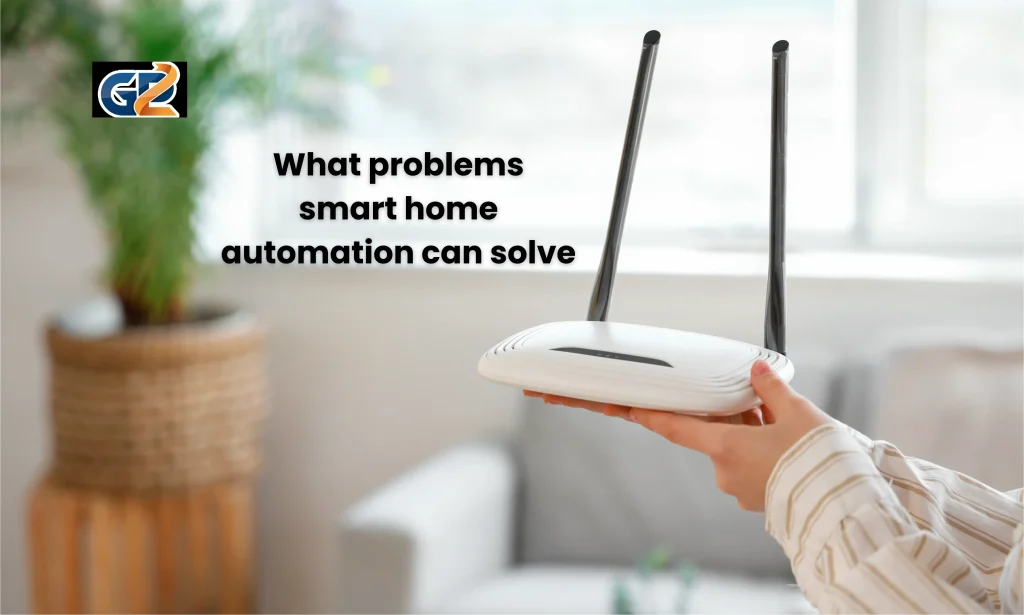
My apartment came with the cheapest router my internet provider offered. This basic dual-band router struggled with 19 devices because older routers weren’t designed for smart home density.
I upgraded to a WiFi 6 router supporting 30+ simultaneous device connections. This single upgrade transformed my smart home reliability from 60% uptime to 99% uptime. WiFi 6 technology handles device density that overwhelms older routers.
The specific features that mattered most were MU-MIMO (Multi-User Multiple Input Multiple Output) and OFDMA (Orthogonal Frequency Division Multiple Access). These technologies let routers communicate with multiple devices simultaneously rather than switching between devices sequentially. For apartments with 15+ smart devices, these features are essential.
Real results: Upgrading from my ISP router to a TP-Link Archer AX3000 WiFi 6 router at $130 eliminated 95% of disconnection issues. The investment paid back immediately through reliable device performance.
The 2.4GHz vs 5GHz Decision
Understanding frequency bands solved my remaining connectivity problems. WiFi routers broadcast on two different frequencies, and choosing correctly matters enormously for smart devices in apartments.
The 2.4GHz band penetrates walls better, travels longer distances, and works with nearly all smart devices. However, it’s incredibly crowded in apartment buildings because baby monitors, microwaves, and Bluetooth also use 2.4GHz. This creates interference causing disconnections.
The 5GHz band offers faster speeds and less congestion but doesn’t penetrate walls as effectively. In my small apartment, wall penetration doesn’t matter because signals are already strong everywhere. But 5GHz has far less interference from neighbors.
My optimization strategy connects stationary devices with high bandwidth needs like cameras to 5GHz. Lower-bandwidth devices like smart plugs and bulbs stay on 2.4GHz because they work fine despite congestion and benefit from better wall penetration to reach corners.
Real results: Strategically assigning devices to appropriate frequency bands reduced my interference-related disconnections from daily occurrences to maybe once monthly.
FAQs
Do small apartments need mesh WiFi systems for smart devices?
No, apartments under 800 square feet rarely need mesh systems. A quality single router provides complete coverage. Mesh systems excel in large or multi-story homes but add unnecessary complexity and cost for small apartments. The $130 I spent on one good router delivered better results than $300 mesh systems designed for 3,000-square-foot houses.
How many smart devices can apartment WiFi handle?
Modern WiFi 6 routers support 30 to 50 devices simultaneously. Older routers struggle beyond 10 to 15 devices. For apartments, device count matters more than square footage. If you plan 20+ smart devices, invest in WiFi 6. My 19 devices work perfectly on my router rated for 40 devices with room for growth.
Why do smart devices disconnect more in apartments than houses?
WiFi congestion from neighboring networks causes most apartment disconnection issues. In my building, 127 competing networks create constant interference. Houses have fewer nearby networks reducing interference dramatically. Channel selection and frequency band optimization solve most apartment-specific reliability problems.
Can landlords or neighbors interfere with my smart home?
Not through your WiFi network itself. Each apartment has private WiFi networks isolated from neighbors. However, WiFi congestion from neighboring networks does cause interference affecting reliability. Your devices remain private and secure, but signal quality suffers from crowded airwaves.
Do concrete walls in apartments block smart device signals?
Yes, concrete and metal studs significantly attenuate WiFi signals. However, in small apartments, strong signal strength compensates for material interference. My concrete walls reduce signal strength 40% but coverage remains excellent because distances are short. Larger apartments with concrete walls may need signal boosters or mesh systems.
Should apartment renters buy smart devices or wait for landlord installations?
Buy renter-friendly devices you can take when moving. Smart bulbs screw into existing fixtures. Smart plugs plug into outlets. Battery-powered sensors stick with adhesive. These removable devices let you build smart apartments without permanent modifications that benefit landlords when you leave.
Conclusion
WiFi smart devices work excellently in small apartments once you optimize your network for high device density and WiFi congestion. After wasting $640 on devices that disconnected constantly, upgrading to a WiFi 6 router and strategically assigning frequency bands created 99% reliability.
Small apartments offer unique advantages for smart homes. Complete coverage from single routers. Strong signals everywhere. Lower costs than large homes requiring mesh systems. The challenges are solvable through proper router selection and frequency optimization.
My 580-square-foot apartment now runs 19 smart devices flawlessly. Smart bulbs, plugs, cameras, thermostat, and lock all work reliably without the mesh systems, range extenders, or hubs that larger homes require. Understanding how WiFi works in confined, congested environments transformed my failed smart home into a perfectly functioning automated space.